
Software / EmotivPRO
Recording, channel inspection and export.
The capture environment for research work: live channel quality, markers and data you can take into your own analysis.
- Best with
- Epoc X, Flex 2
- Licensing
- Multiple licence options
- Use
- Academic and applied research
Signal in
Stimulus timeline
Interpretation
- Attention
- 64
- Engagement
- 71
- Cognitive load
- 43
Selected moment: Stimulus B
01 // Workflow
What the software actually does.
Each step is a real state in the application, not a marketing stage.
- 01
Check contact
Every channel is verified before the session starts.
- 02
Record
Capture continuous EEG with event markers.
- 03
Inspect
Scan channels for artefacts as they happen.
- 04
Export
Move the recording into your analysis stack.
02 // Demonstration
One thing, shown working.
Interface diagram: live multi channel recording with contact quality
Signal in
Stimulus timeline
Interpretation
- Attention
- 64
- Engagement
- 71
- Cognitive load
- 43
Selected moment: Stimulus B
03 // Hardware
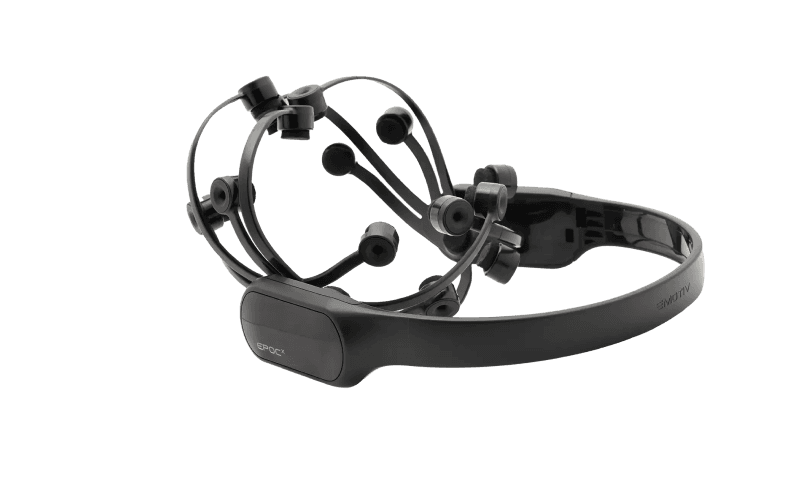
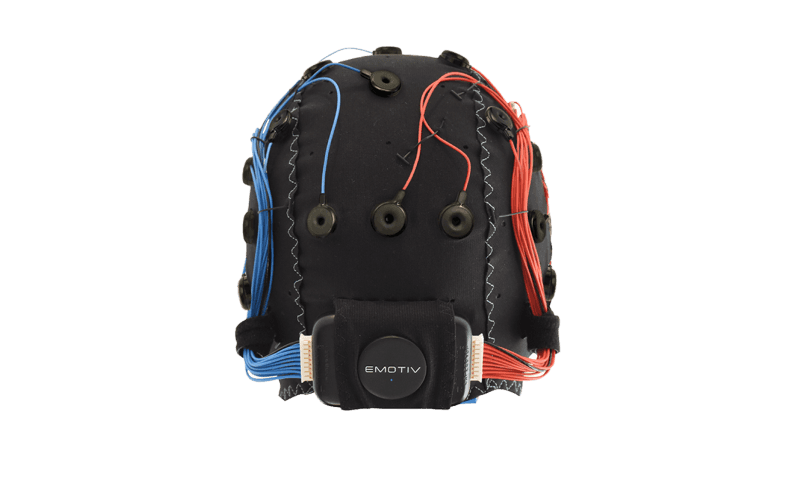
Headsets this runs with.
04 // Software
The rest of the stack.
- Emotiv StudioEmotiv Studio, powered by EmotivIQ, aligns stimulus and brain response so a team can compare moments rather than opinions.
- EmotivBCIBuild and refine commands, watch detection confidence rise, and send the result into an application.
- BrainVizA spatial view of cortical activity rendered live from the headset stream.
- Emotiv LauncherDevice pairing, firmware, licences and application access for every Emotiv system.
Run EmotivPRO.
Pair a headset in Emotiv Launcher, sign in with your Emotiv account and start a session.